


LOOP CORE STEREO · FIRMWARE V2.2.1
USB Audio. MIDI synchronization. More ways to work with your loops.
A loop can start as a practice idea and become the foundation of a full arrangement. As you add backing tracks, a computer, or MIDI equipment, the way your looper connects to the rest of your setup becomes just as important as recording the loop itself.
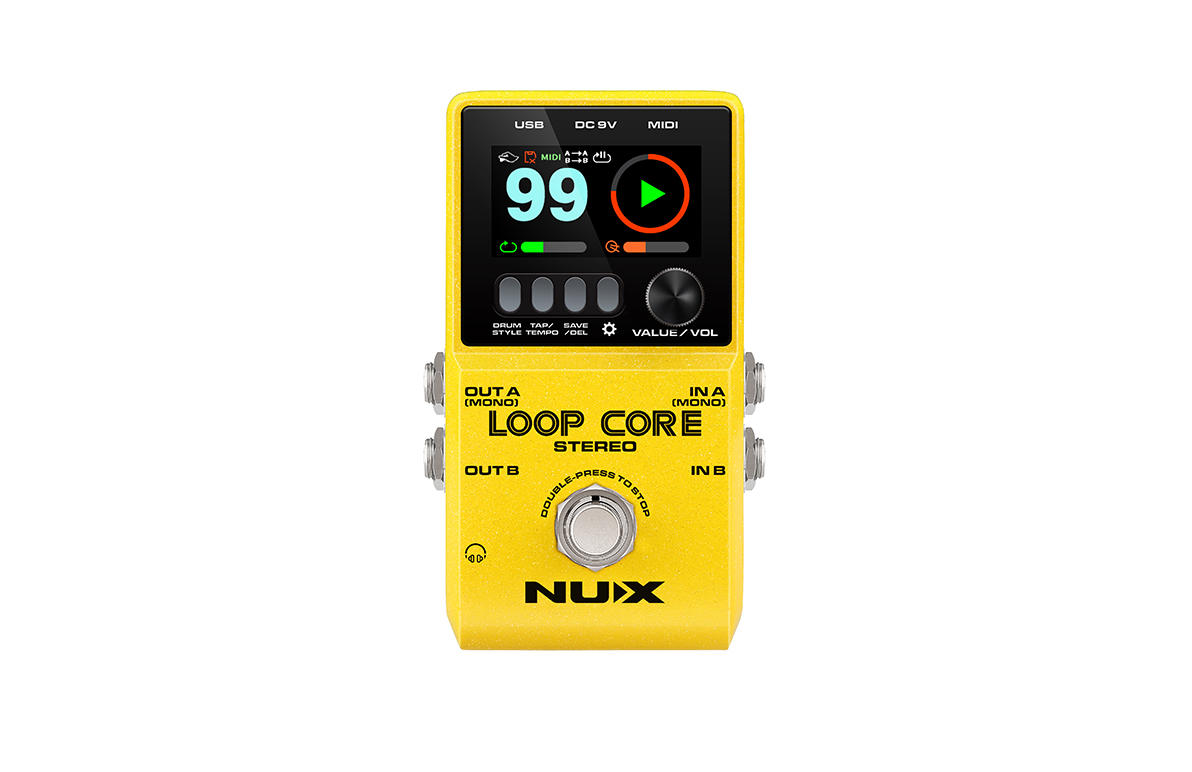
Firmware V2.2.1 expands those connections on the NUX Loop Core Stereo with USB Audio and Loopback recording, MIDI Clock synchronization, and direct memory selection through MIDI Program Change. It also brings the drum library to 70 patterns and adds Time Stretch support for changing playback speed without changing pitch.
Here’s what changes in V2.2.1 and how to install the update.
|
USB Audio + Loopback |
MIDI Clock + Memory Selection |
|
70 Drum Patterns |
TIME STRETCH Change Speed, Retain Pitch |
What’s New in Firmware V2.2.1?
01. CAB Simulation and TONE Adjustment
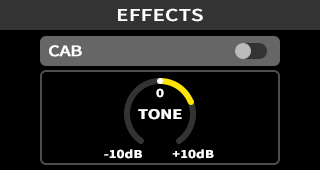
The Loop Core Stereo already includes CAB simulation for connecting its output to a mixer. V2.2.1 brings an independent TONE adjustment, giving you control over the overall tonal balance and output character.
02. USB Audio with Loopback Recording
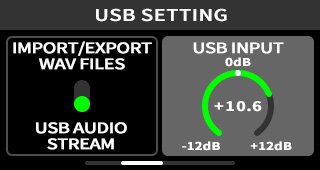
USB Audio lets you record the Loop Core Stereo through a computer.
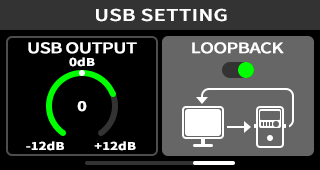
The update also introduces Loopback Recording, which combines computer playback audio and the pedal’s audio signal into a single recording stream.
For example, you can play a backing track from your computer and capture it alongside your guitar performance through the Loop Core Stereo. This is useful for recording practice sessions, making demonstrations, or creating looping content without recording the two sources separately.
03. MIDI Clock Sync and Program Change
For setups involving external MIDI equipment, V2.2.1 provides tempo synchronization and direct access to saved loop memories.
MIDI Clock Sync allows the Loop Core Stereo to synchronize its tempo with external MIDI devices. The IGNORE START & STOP switch lets you choose manual or automatic LOOP start and stop behavior when using MIDI synchronization.
MIDI Program Change supports PC#1–PC#99 for direct selection of Memory 01–99. With an external MIDI controller, you can access a saved loop without navigating through the memory slots on the pedal, a practical option when switching between saved phrases during a performance.
04. Drum Patterns Expanded to 70
The built-in drum library expands from 50 to 70 patterns. The 20 additional patterns give you a wider choice of rhythms for practicing chord progressions, developing loops, and trying different arrangements.
05. Time Stretch: Change Playback Speed Without Changing Pitch
A recorded phrase may need a different tempo without a change in key.
Firmware V2.2.1 upgrades the LOOP recording algorithm with Time Stretch support, allowing you to change playback speed while retaining the original pitch.
06. Menu Languages and Format Converter Improvements
The updated menu supports English and Chinese.
NUX Format Converter now includes volume control for imported audio files, allowing you to adjust their volume when preparing them for the Loop Core Stereo. This adjustment is made in the computer software, rather than through a control on the pedal.
Firmware and Software Downloads
Choose the firmware package for your computer’s operating system. Both packages contain the MIDI DFU Updater application and the NCL-2FirmwareV2.2.1.bin firmware file.
Loop Core Stereo · V2.2.1
Download for Windows Download for macOS
Click to download the ZIP file, then check your browser’s Downloads list.
For NUX Format Converter, check the software versions available for your operating system on the Loop Core Stereo product page.
How to Update Your Loop Core Stereo
Before starting, prepare a computer running Windows 10 or later or macOS 10.10 or later, a USB-A to USB-C or USB-C to USB-C data/sync cable, and a suitable power supply for your Loop Core Stereo. We recommend the NUX ACD-006A power supply, which is sold separately.
Important: Use only firmware intended for the Loop Core Stereo (NCL-2). Installing incorrect firmware may make the pedal unusable. Do not disconnect the USB cable or power supply while the update is running.
- Download and extract the firmware ZIP for your operating system.
- Connect the pedal to your computer using the USB data/sync cable, then open MIDI_DFU_Updater.
- With the pedal powered off, press and hold the footswitch and DRUM STYLE button while connecting the 9V power supply. Release the footswitch when the screen displays “FIRMWARE UPDATE START READY!”
- In the updater, click Refresh and select MIDI DFU for both MIDI Device Out and MIDI Device In.
- Click File and select
NCL-2FirmwareV2.2.1.bin, then click Start Update. - Allow approximately two minutes for the update. Wait until the screen displays “FIRMWARE UPDATE OK!” and the progress bar reaches 100% before disconnecting anything.
- Close the updater, disconnect the USB cable, and disconnect the power supply. Reconnect the power supply to start using the pedal.
For step-by-step illustrations, download our firmware update guide linked above.
Conclusion
V2.2.1 gives Loop Core Stereo users more ways to connect looping with the rest of their setup. USB Audio and Loopback bring computer playback into the recording process, while MIDI synchronization and memory selection make the pedal easier to integrate with external equipment. The expanded drum library and Time Stretch support add options for working directly with your loops.
Download the V2.2.1 package for your operating system, follow the update guide, and try the changes with your own setup. For more product information, explore the NUX Loop Core Stereo.