



Need a wide range of sounds but don't want to carry too much gear? Or maybe you're just starting to build your rig and want one device that works for practice, recording, and live shows?
This is where the NUX MG-300 MKII becomes an interesting option.
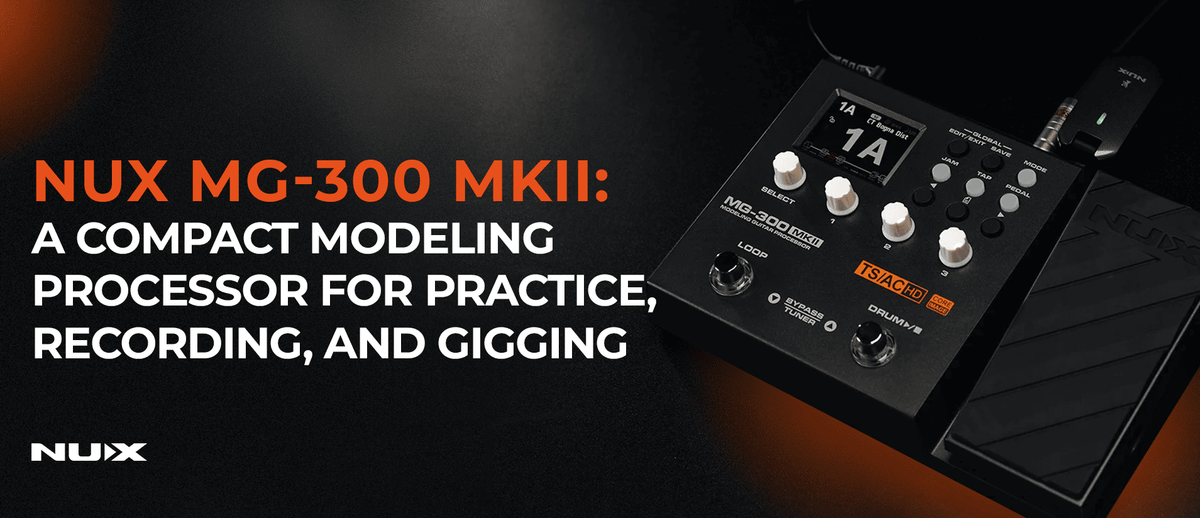
The MG-300 MKII is a modeling processor that combines amp modeling, cabinet simulation, overdrive, distortion, modulation, delay, reverb, and many other effects in one compact unit.
But what makes it interesting isn't just the number of effects. The MG-300 MKII is designed to keep sound building practical. You can arrange your signal chain right on the unit, use the built-in expression pedal, play along with the drum machine and looper, or connect it to your computer for recording and editing through QuickTone.
It's small, but the workflow it offers is complete enough for a wide range of guitarists' needs.
Key Features & Specifications of the NUX MG-300 MKII
TSAC-HD White-Box Amp Modeling
One of the most important parts of the MG-300 MKII is TSAC-HD White-Box Amp Modeling, NUX's amp modeling technology designed to deliver a more dynamic and natural response.
So it's not just about getting the character of a particular amp. Response to your picking, playing dynamics, and how the tone reacts when you turn down your guitar's volume are all part of the playing experience.
The MG-300 MKII offers a variety of amp models for electric guitar, bass, and acoustic guitar, so a single unit can cover many needs without carrying several different pieces of gear.
10 Signal Blocks
Inside the MG-300 MKII are 10 independent signal blocks that you can arrange to build your signal chain.
From WAH, CMP, GATE, EFX, AMP, IR, EQ, MOD, DLY, to RVB, everything can be arranged to suit each preset.
This may sound simple, but it's exactly where the flexibility of a modeling processor shows. You decide not only which effects to use, but also how they work as part of the overall signal chain.
For example, should the delay come after the amp and cab simulation? Or would you rather keep things simpler with a few effects before the amp?
It's up to you.
25 Cabinet IRs & 24 User IR Slots
Besides amp modeling, the cabinet plays a big role in shaping the final character of a guitar tone.
The MG-300 MKII provides 25 guitar cab IRs, 8 bass cab IRs, and 3 acoustic IRs, complete with microphone and microphone position options.
If you want to experiment further, there are 24 user IR slots for loading third-party IRs through QuickTone.
That means you're not locked into the built-in cabinet sounds. If you have a favorite IR or want to try a different cabinet character, you can load it straight into the MG-300 MKII.
Pro Scene
Ever had a song that needs a clean, a rhythm, and a lead sound, but didn't feel like building three separate presets?
Pro Scene is made for exactly this.
A single preset can hold three Scenes, each with a different sound configuration. You can set one Scene for clean, one for rhythm, and one for lead, then switch between them without changing presets.
It's not just about turning an effect on or off. A Scene can store changes to the sound configuration, so one preset can have several distinct characters.
For live performance, a workflow like this can be far more practical.
Built-in Expression Pedal
The MG-300 MKII comes with a built-in expression pedal, so you don't need to bring an extra expression pedal just to get real-time control.
The pedal can be used for functions like volume or wah, and it can also control specific effect and amp parameters.
In a compact rig, an extra control like this matters. You can still make real-time changes without adding to the size of your pedalboard.
Drum Machine & Phrase Looper
The MG-300 MKII isn't only about guitar tone.
It also has a drum machine and phrase looper you can use for practice, songwriting, or just chasing new ideas.
Say you find a drum groove you like. Just pick the rhythm, record a riff with the looper, and start experimenting with different amps or effects.
For practicing at home, this combination turns the MG-300 MKII into a small practice station that doesn't need much extra gear.
2.8" Color LCD & QuickTone
For navigating directly on the unit, the MG-300 MKII uses a 2.8-inch color LCD that shows the signal chain and parameters quite clearly.
For more detailed editing, the MG-300 MKII can also be connected to a computer using the QuickTone Editor.
In QuickTone, you can view the entire signal chain more comfortably, adjust parameters, create and organize presets, set up Pro Scene, and load IRs.
So if editing on the pedal feels cramped for more detailed work, you can move to your computer screen without changing your overall workflow.
USB-C for Recording & Live Streaming
One upgrade that's especially relevant today is the use of USB-C.
The MG-300 MKII can be used as a USB audio interface to record directly to your computer. So for making demos, capturing song ideas, or tracking guitar, you don't always need a separate audio interface.
Beyond recording, the MG-300 MKII is also designed for live streaming and content creation. It offers a TRRS headphone/microphone connection, microphone level control, and a noise gate that helps when the unit is used with a smartphone or streaming setup.
One device, multiple workflows.
32-bit / 48 kHz Audio
On the digital audio side, the MG-300 MKII uses 32-bit AD conversion with a 48 kHz sampling rate.
It has a frequency response of 20 Hz–20 kHz and a dynamic range of up to 106 dB.
With compact dimensions and a weight of around 1.5 kg, the MG-300 MKII is also easy to carry. Fitting it in a gig bag, bringing it to the studio, or taking it to a venue is no hassle.

MG-300 MKII GEN2: More Room to Explore
One of the interesting things about the MG-300 MKII is that its story doesn't end with the hardware.
Through firmware updates, NUX has added new features that make the MG-300 MKII even more open to experimentation.
In the GEN2 firmware, one of the most exciting additions is the NAM Loader.
NAM Loader with 10 User Slots
If you've followed modeling developments over the past few years, you're probably familiar with NAM, or Neural Amp Modeler.
On the MG-300 MKII GEN2, the AMP block now has 10 user slots for NAM profiles and supports Native NAM A2-Lite.
This means that besides the built-in amp models, you have the option to load a wide range of NAM profiles into the MG-300 MKII.
Each slot also keeps (post-EQ) parameters like Gain, Bass, Mid, Treble, and Master, so the profile you use can still be adjusted to your needs.
This gives the MG-300 MKII a more flexible side for users who want to explore sounds beyond the built-in presets.
Deep Image Amp Models
GEN2 also adds three Deep Image amp models:
- I Deluxe Rvb
- I Classic A30
- I Fireman
Each has a different character, giving users a few more options for building sounds without relying on third-party profiles.
Four New Wah Models
The wah section gets some additions too.
GEN2 brings four new models:
- CLYDE
- CRY BB
- V847
- HORSE WAH
So if you like using wah for leads, funk, rock, or just to add some movement to your tone, there are more characters to try right from the unit.
A More Practical Global EQ
GEN2 also brings several improvements to the Global EQ.
EQ values can now be displayed in dB in real time while you adjust, and the Global EQ can also be reset more conveniently.
A feature like this may not sound as big as the NAM Loader or new amp models, but it can be quite useful when you take the MG-300 MKII to different places.
The character of the PA at venue A is not necessarily the same as at venue B. With Global EQ, you can make small adjustments to suit your overall output without editing presets one by one.
Why Is the MG-300 MKII Interesting?
Not every guitarist needs a complex rig.
Sometimes what you're looking for is simple: one device you can take anywhere, that's easy to use, and that has enough sound options for a variety of needs.
The MG-300 MKII sits in that space.
You can use it with headphones for practice, go straight to the PA when gigging, use it as a USB audio interface for recording, or use the drum machine and looper when you're hunting for song ideas.
As your needs grow, you also have third-party IRs, Pro Scene, and now NAM through GEN2 for further exploration.
So even though it's compact, the MG-300 MKII doesn't have to stop at being a "small multi-effects unit for practice." With the workflow and features available, it can be part of a more serious rig.
FAQ
Is the NUX MG-300 MKII suitable for beginners?
Yes. The MG-300 MKII's interface is fairly straightforward to learn, yet it still offers features to explore as your sound needs grow.
You can start with the available presets, then gradually learn to build your own signal chains.
Can the MG-300 MKII be used directly with a PA or mixer?
Yes. The MG-300 MKII has amp modeling and cabinet simulation, so it can be used as a direct rig.
The output can be connected straight to a mixer, audio interface, or PA system without needing to bring a guitar amp.
Can the MG-300 MKII use third-party IRs?
Yes. There are 24 user IR slots available for loading third-party IRs through QuickTone.
Does the MG-300 MKII have an expression pedal?
Yes. The MG-300 MKII has a built-in expression pedal that can be used for volume, wah, and a variety of other parameters.
What does Pro Scene do on the MG-300 MKII?
Pro Scene lets a single preset hold three Scenes with different sound configurations.
For example, one preset can cover clean, rhythm, and lead without switching presets.
Can the MG-300 MKII be used for recording?
Yes. The MG-300 MKII can be used as a USB audio interface over USB-C, so you can record guitar directly to your computer.
Can the MG-300 MKII be used for live streaming?
Yes. The MG-300 MKII provides USB-C, a TRRS headphone/microphone connection, microphone level control, and a noise gate to support live streaming and content creation.
What is the MG-300 MKII GEN2?
GEN2 is a firmware update that adds several new features to the MG-300 MKII, including the NAM Loader with 10 user slots, Native NAM A2-Lite support, three Deep Image amp models, four new wah models, and improvements to Global EQ.
What is the NAM Loader on the MG-300 MKII?
The NAM Loader lets the MG-300 MKII GEN2 use NAM profiles in the AMP block. There are 10 user slots for storing the profiles you want to use.
Can NAM be used together with IR?
When a NAM profile is in use, the IR block is automatically disabled. This helps avoid stacking cabinet simulations when the NAM profile already captures the cabinet's character.
Does the MG-300 MKII still receive firmware updates?
The MG-300 MKII has received the GEN2 firmware, which brought several new features. To check the latest firmware version and updates, users can visit NUX's official support page.
Find Your Sound with the NUX MG-300 MKII
The MG-300 MKII isn't about how big or complex a rig you can build.
Part of its appeal is how many guitar needs can be packed into one compact, easy-to-carry device.
Whether you want to practice with headphones, build presets for gigs, record to your computer, jam with the drum machine and looper, or try out different amps, IRs, and NAM profiles, it can all be done from one unit.