

B-6 Pro
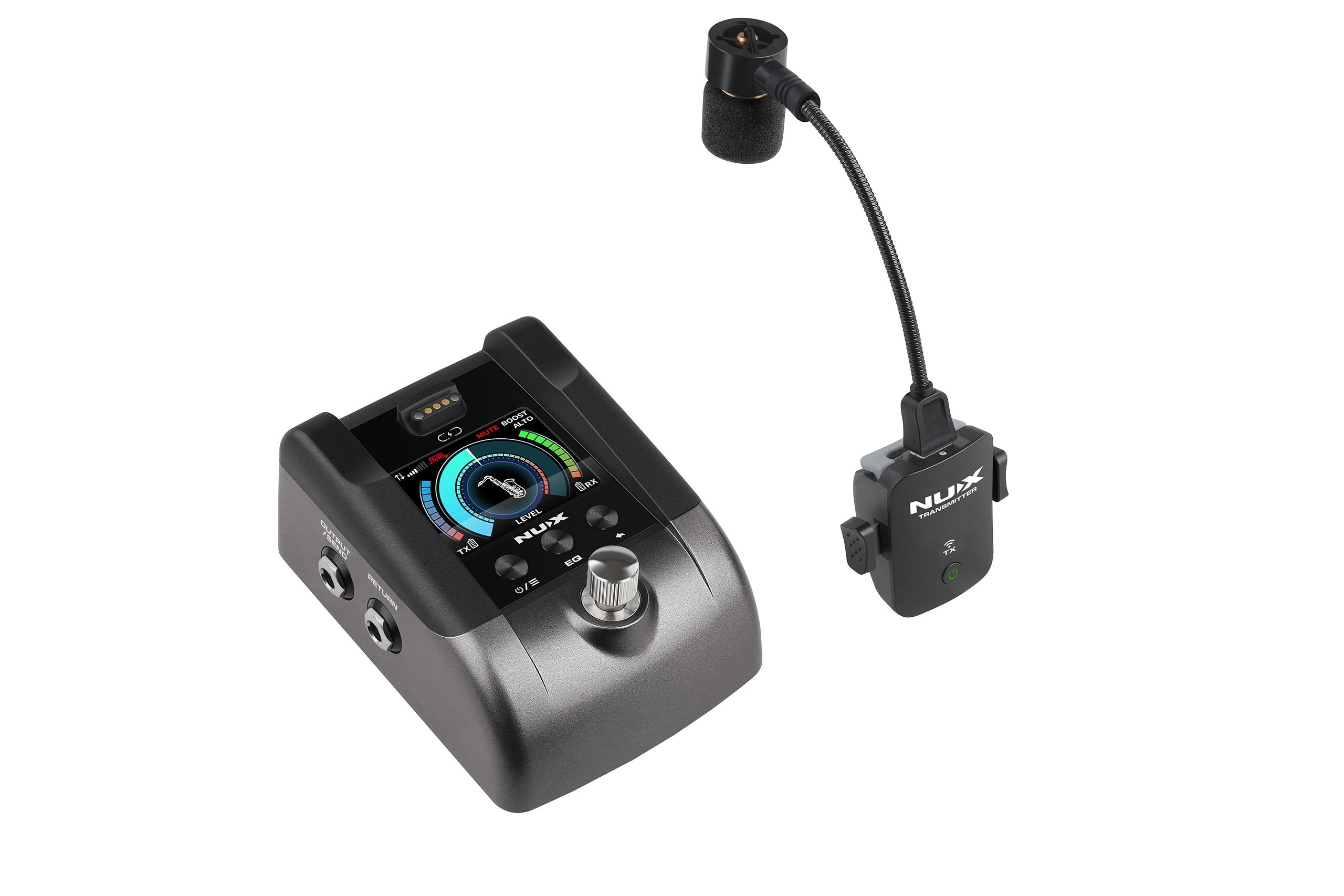
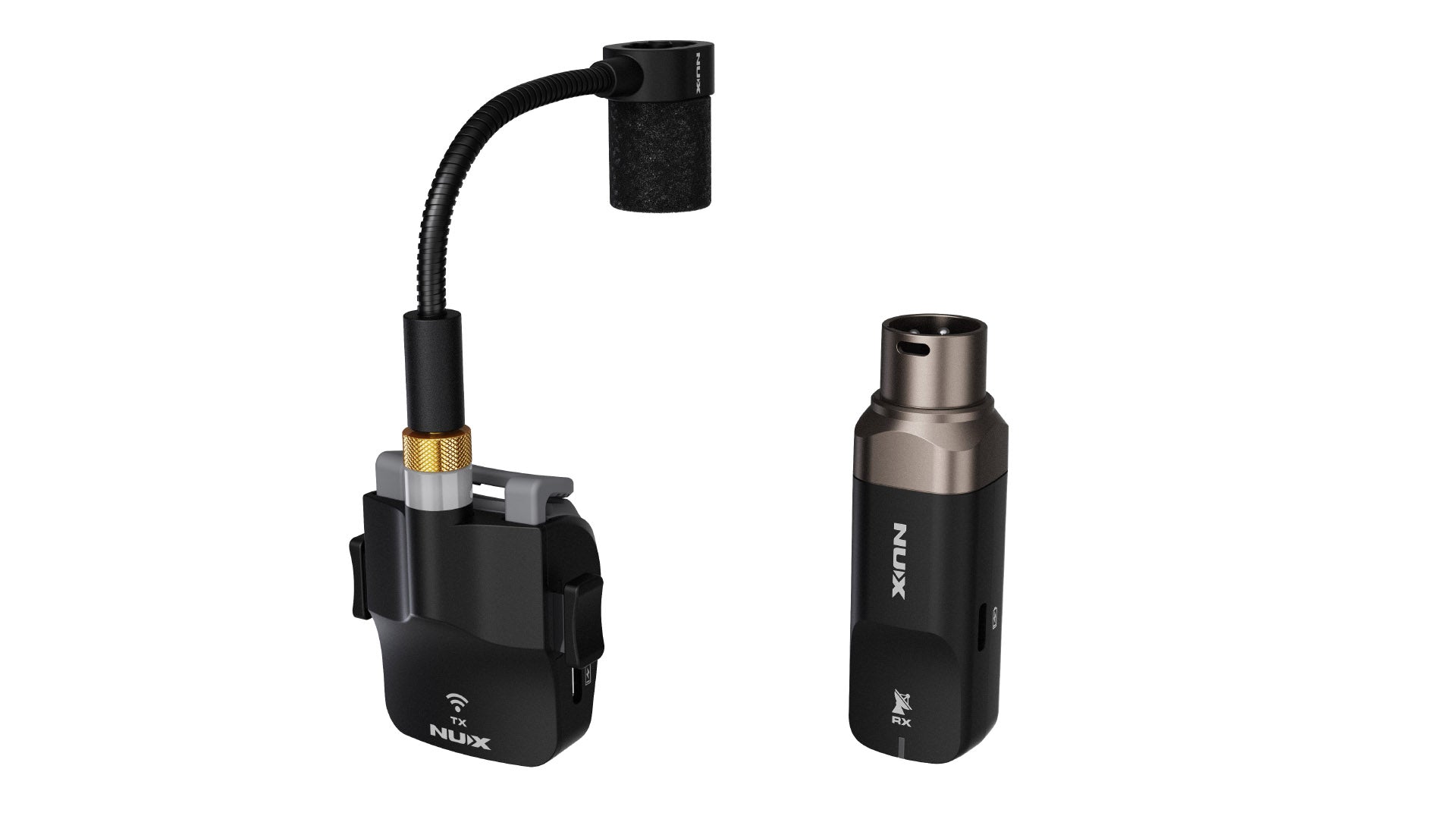
2.4GHz wireless system for wind instruments.
* 24-bit/48kHz sound quality.
*Dynamic: 112dBa
* Operating range: up to 165 feet.
* Latency: Low Latency Mode - 3.6ms, Standard Mode - 6.1ms Stable Mode - 9.9ms
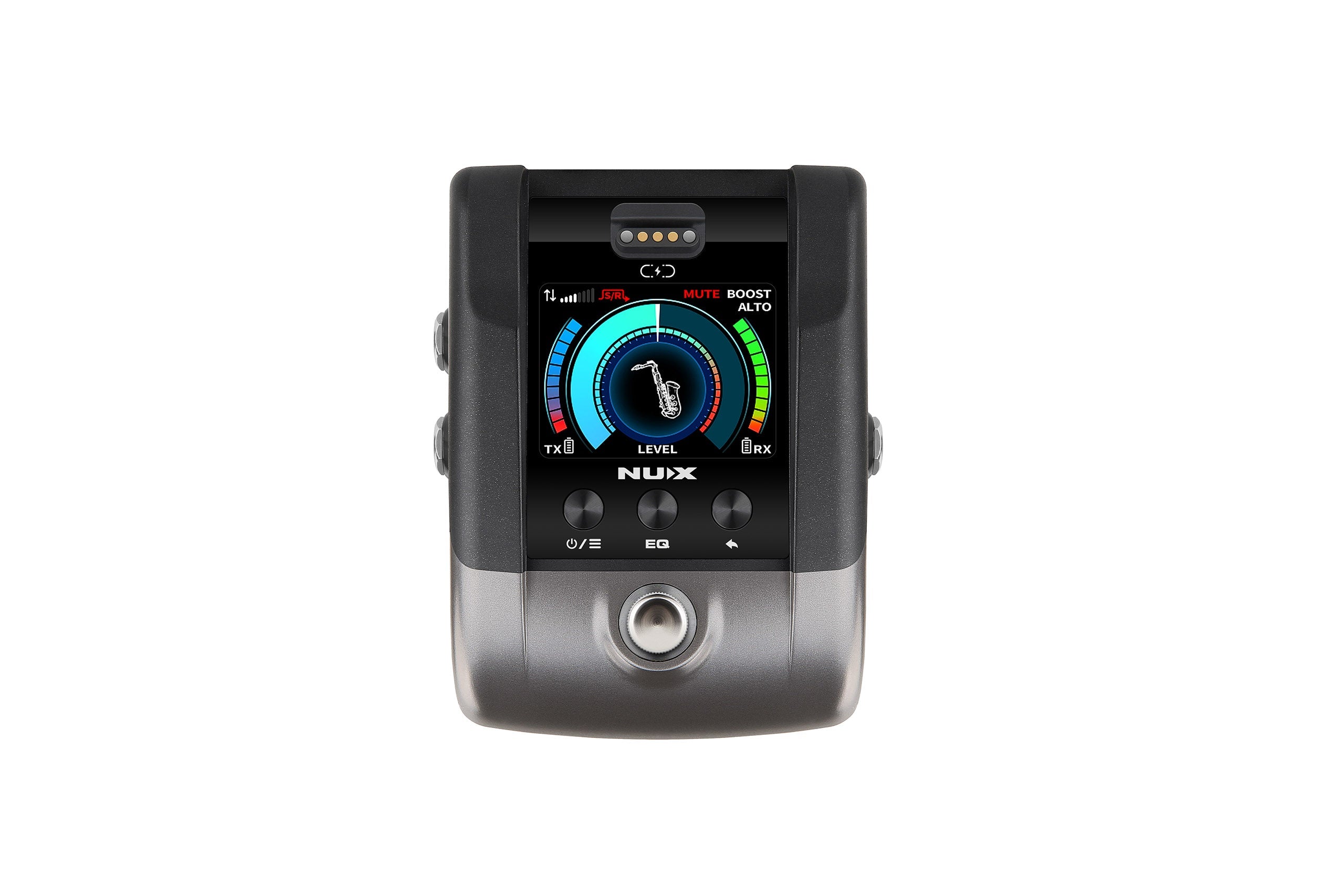
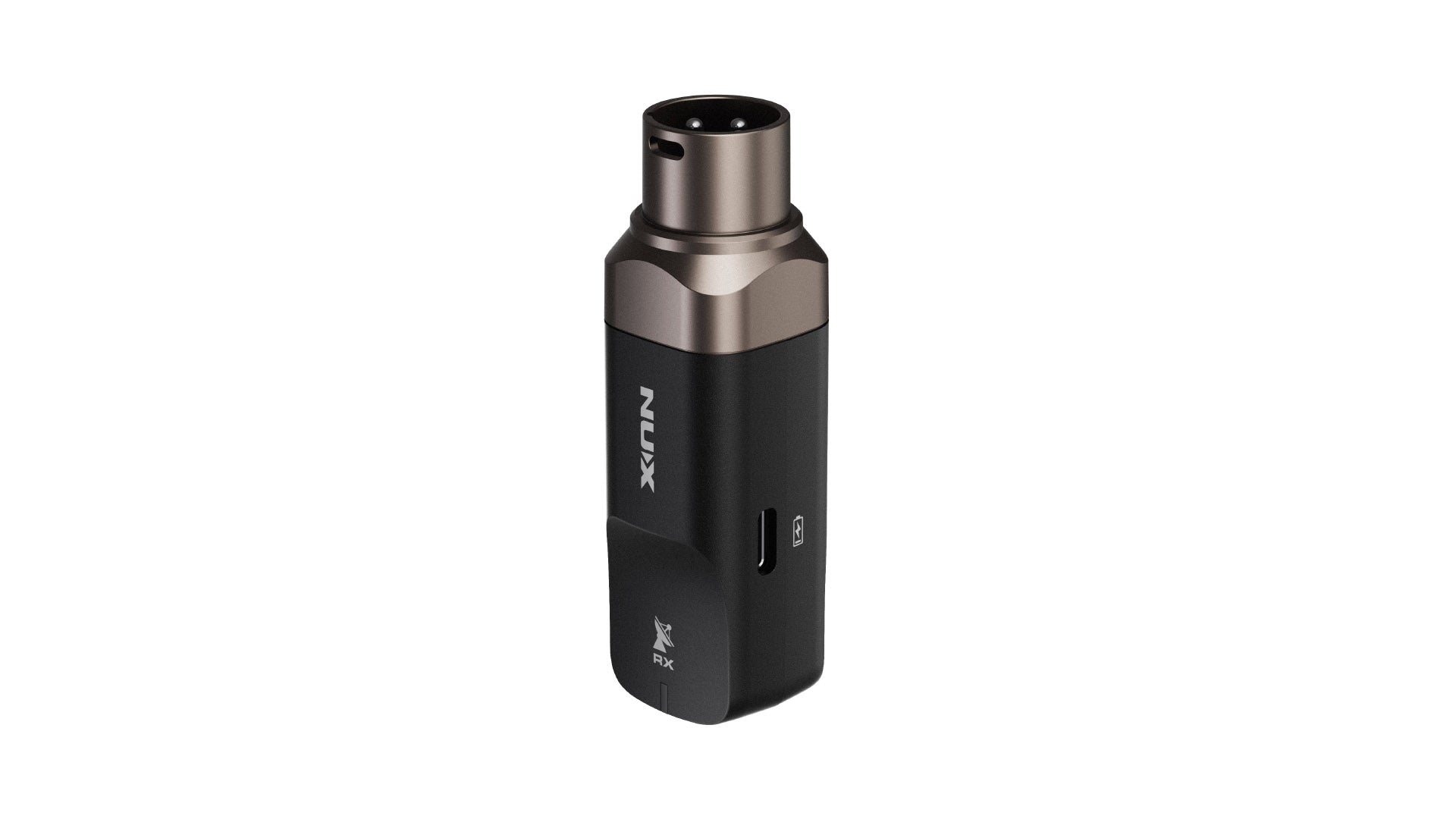
* Stomp-box style receiver unit features tuner, booster, FX LOOP and USB audio interface.
* 13 EQ cuves including a flat one, two custom one.
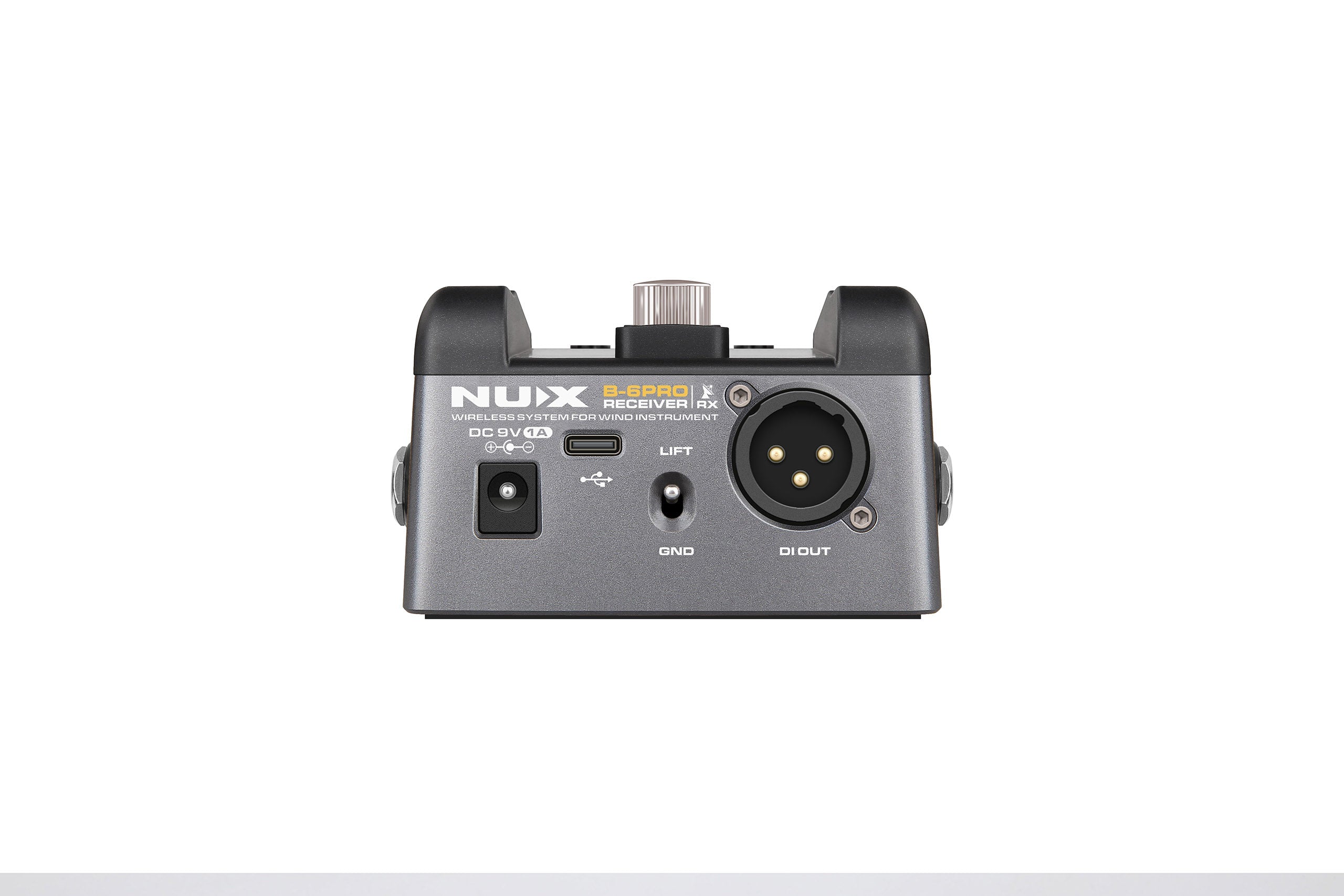
* Stage-ready I/O ports: S/R FX LOOP, 1/4 OUTPUT, DI OUT, USB-C port
*Battery life: up to 7 hours( Transmitter), up to 10 11 hours(Receiver).

Range

Battery life

Latency

Frequency response

Frequency Band

Sampling rate
Pairs well with
In stock! Ships within 1-2 business days.
90-day risk-free trial
2-Year Warranty
Complimentary shipping & returns
B-6 Pro

Just Pure Sound. No Strings Attached.
Compact, reliable, and intelligently designed, the B-6 PRO gives you the freedom to move and the confidence to perform.
Stable & Interference-Free
Next-gen wireless tech ensuring a stable connection even in crowded spaces.
165 ft Wireless Range
Lets you move around without being tethered to a mic stand!
Low ~3.6 Latency
Sound stays perfectly in sync with ultra-low latency for natural, immediate notes.

Studio Quality Sound, Live on Stage
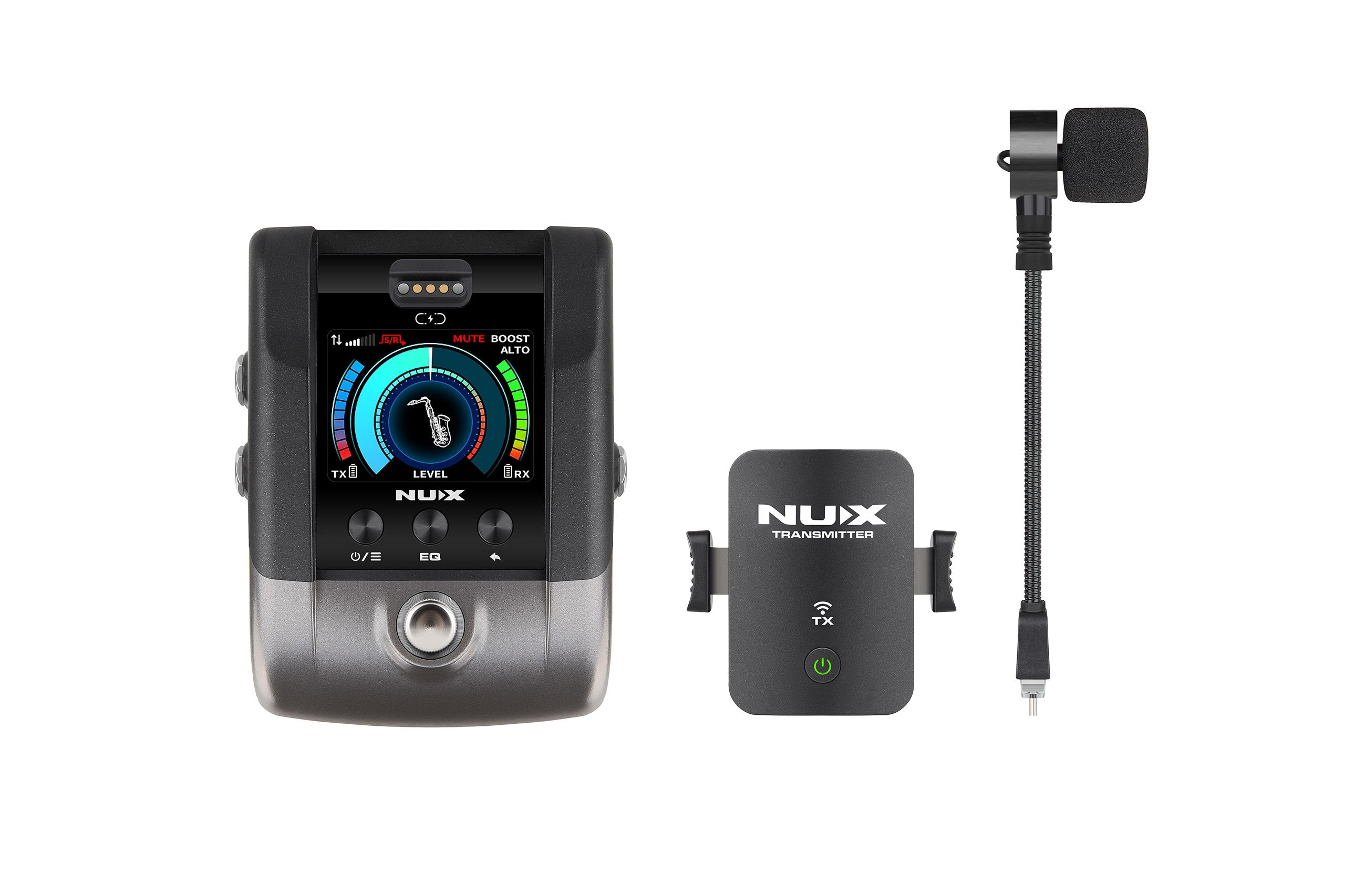
B-6 PRO features a custom electret condenser microphone with a patent-pending shock-absorbing gooseneck that minimizes key clicks, handling noise, and unwanted vibration — preserving the natural warmth and presence of your instrument.


Smart, Simple, & Reliable
Automatic power-saving mode, one-button pairing, and a 165 ft (50 m) wireless range make the B-6 PRO effortless to use in any environment — from intimate gigs to large stages.
Instrument Friendly Clamp Design
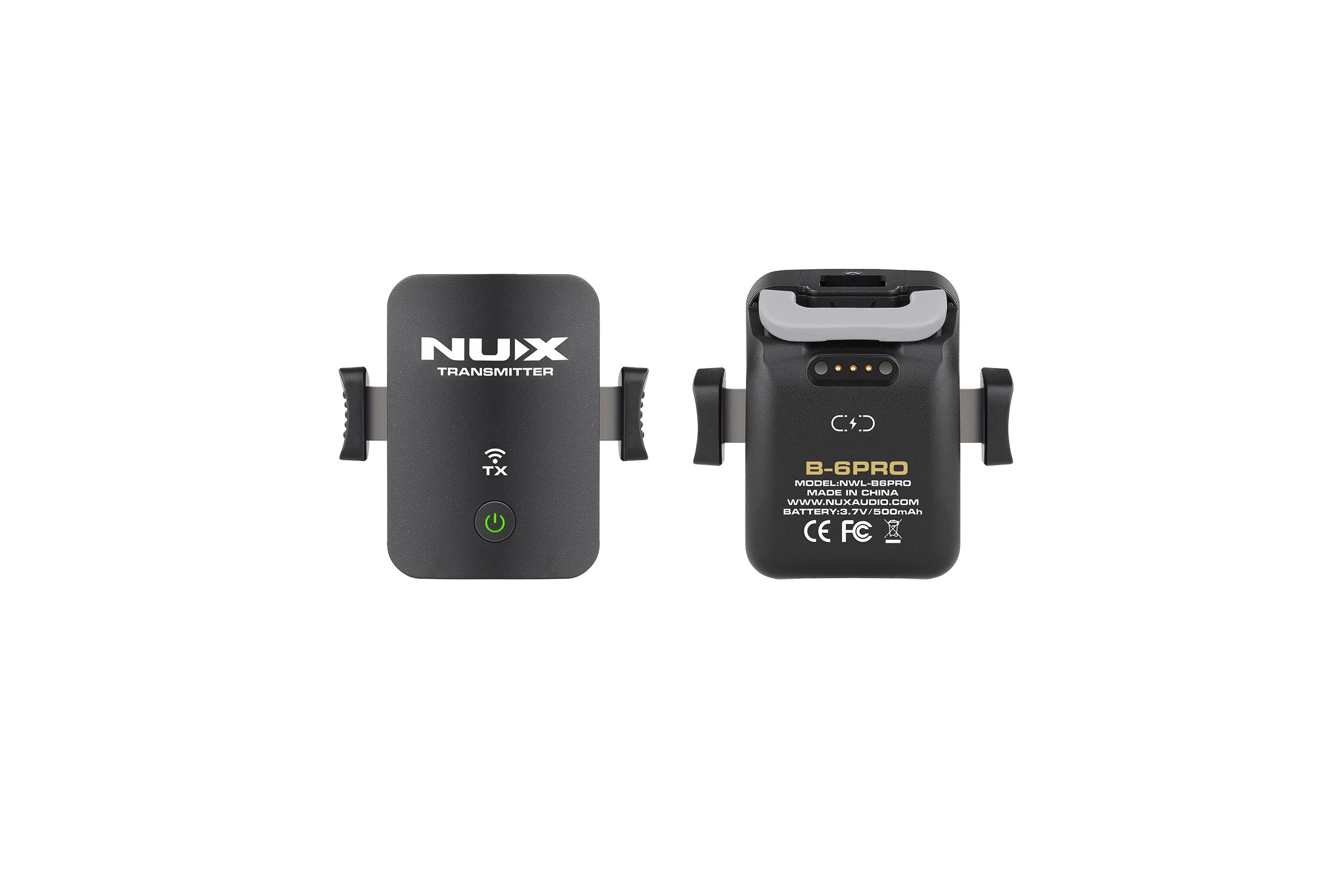
The NUX B-6 PRO features a custom-engineered smart clamp designed specifically for wind and brass instruments. Its rubber-coated contact points grip firmly without leaving a single mark, while the shock-absorbing joint eliminates unwanted handling noise — even during intense performances.


Tune, Boost & Play Your Heart Out
Built-in tuner, booster, and EQ presets — all designed to keep your sound stage-ready.

Optimized for Every Tone Profile
This system features a range of professionally tuned EQ presets, each optimized for different wind instruments. Whether you’re playing saxophone, trumpet, or any brass/woodwind, simply select a preset with one click to achieve perfectly balanced, clear tone—without the need for external tweaking.
- 13 Professionally tuned presets
- Works with any brass/woodwind instruments
- Customizable EQ for better control

Built-in Tuner & Booster
The NUX B-6 PRO has a digital tuner designed for wind instruments, a 12dB boost for soloists, and send/return functionality for adding pedal effects to your setup, all of which can be individually controlled through the footswitch setting.
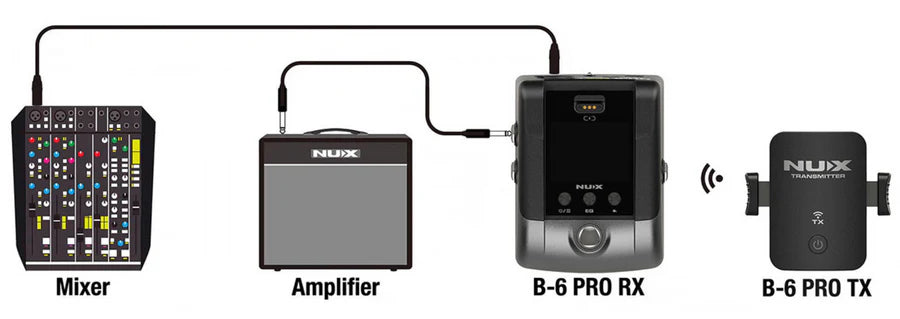
Straightforward Setup
Connect your B-6 Pro receiver directly to your amp or speaker.
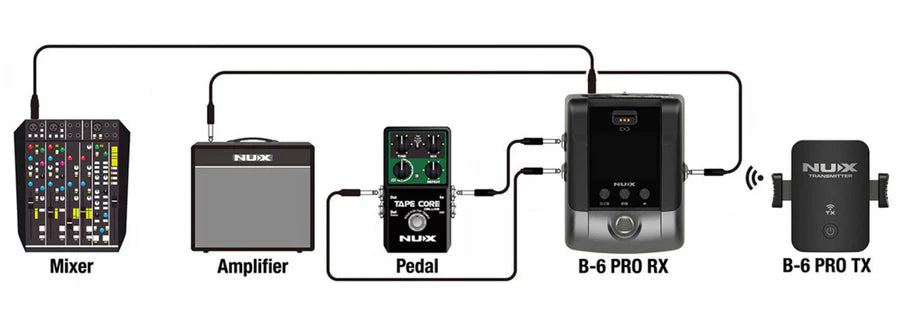
Integrate Effects
Run your B-6 Pro receiver through an effect pedal (delay or reverb) for more tone control.

Stay Charged, Stay Tuned
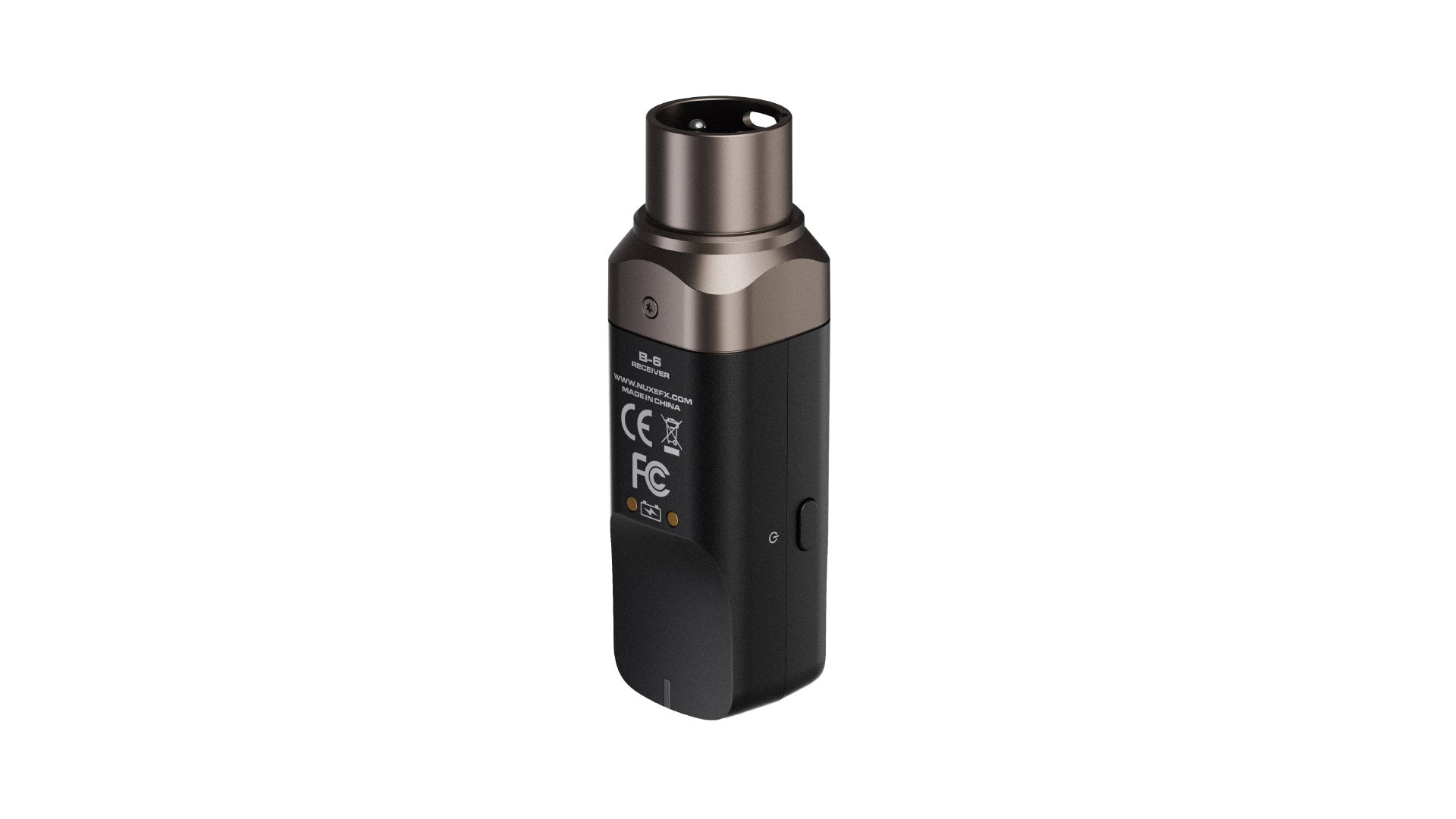
Enjoy up to 7 hours of continuous playtime on a full charge—ideal for rehearsals, gigs, or studio tracking. When it’s time to recharge, simply place the transmitter on top of the receiver for effortless magnetic charging.
- Magnetic Charging Dock
- 7 Hours non-stop play time on full charge
- Auto sleep after 10 minutes on idle
B-6 Pro
Specifications
Technical
Microphone Type
Condenser
Microphone Polar Pattern
Cardioid
Microphone Sensitivity
-51 db
Frequency Band
2.4 GHz
Range
Up to 165 ft (line-of-sight)
Latency
3.6ms (Low Latency), 6.1ms (Default), 9.9ms (Stable)
Sampling Rate
24bit/48kHz
Frequency Response Range
20Hz-20kHz
RF Output Power
Maximum 10mW E.I.R.P
Maximum Audio Signal Output
6.4dBV (SEND/OUTPUT)
THD+N
<0.01% (Typical)
Dynamic Range
112dBA (SEND/OUTPUT)
Battery Capacity
TX (transmitter) 3.7V/500mAh, RX (receiver) 3.7V/3000mAh
Battery Life
TX (transmitter) up to 7 hours, RX (receiver) up to 11 hours
Hardware
Transmitter Dimensions (excluding microphone)
2.4 x 2.3 x 1.2 in
Transmitter Weight (excluding microphone)
60 g
Receiver Dimensions (excluding microphone)
3.6 x 4.7 x 2.4 in
Receiver Weight (excluding microphone)
420 g
User Manual
Download Manual
Firmware Updates
Latest Firmware (macOS)
What's Included
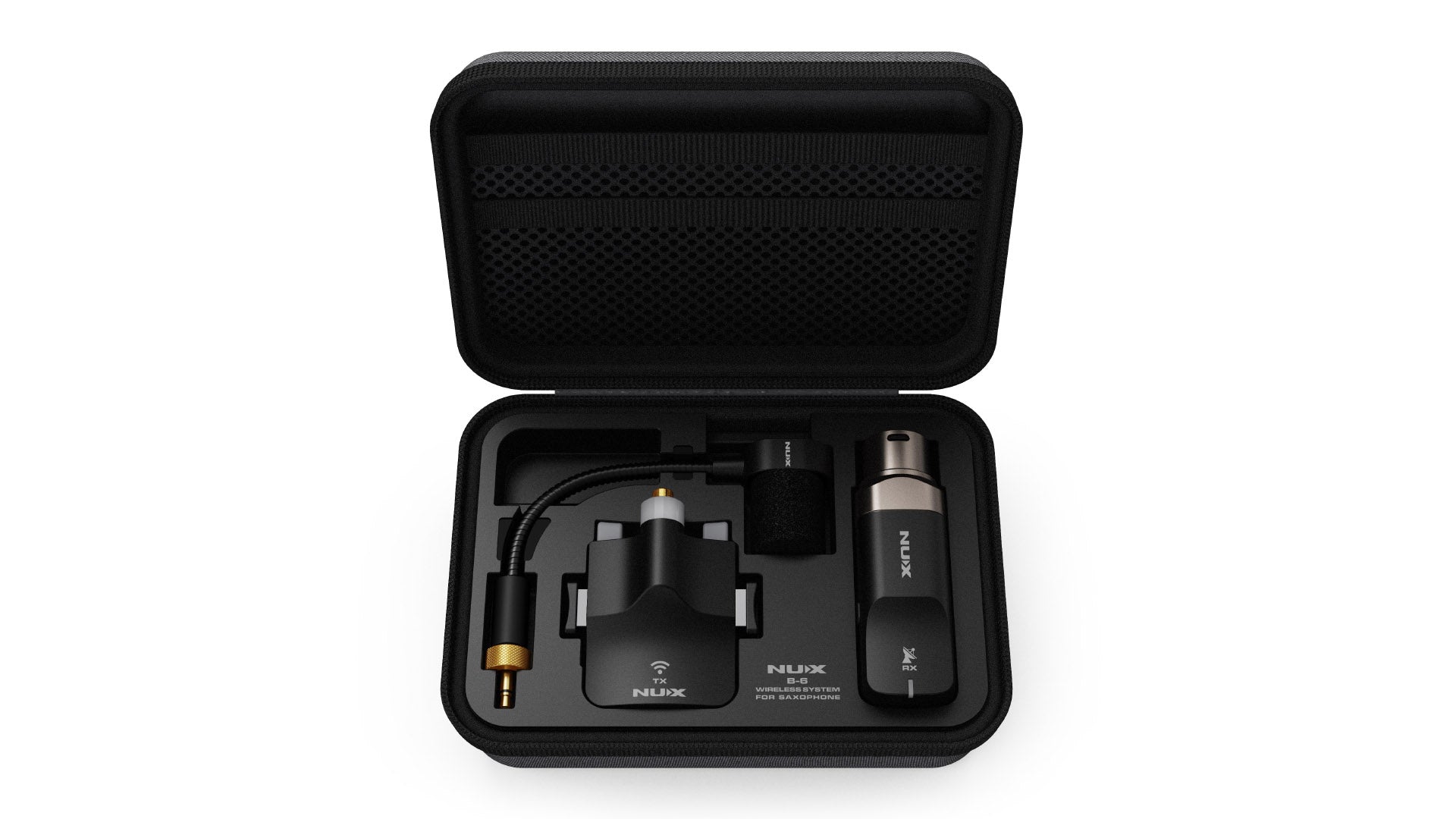
1 x Mic, 1 x B-6 PRO Transmitter, 1 x B-6 PRO Receiver, 1 x Case, 1 x DC 1.2A Power Adapter, 1 x USB Type-C Cable, 1 x USB Type-C to Type A Adapter, User Manual, 1 x NUX Logo Sticker
FAQs
Resources
B-6 PRO User Manual
You can download the user manual for NUX B-6 Pro through the link below:
B-6 PRO Firmware Updates
You can download the latest firmware updates for the NUX B-6 PRO Through the links below:
NUX B-6 PRO Firmware V1.0.4 macOS
If you have any questions, you are always welcome to contact us. We'll get back to you as soon as possible, within 24 hours on weekdays.
-
Shipping Information
Use this text to answer questions in as much detail as possible for your customers.
-
Customer Support
Use this text to answer questions in as much detail as possible for your customers.
-
FAQ’s
Use this text to answer questions in as much detail as possible for your customers.
-
Contact Us
Use this text to answer questions in as much detail as possible for your customers.